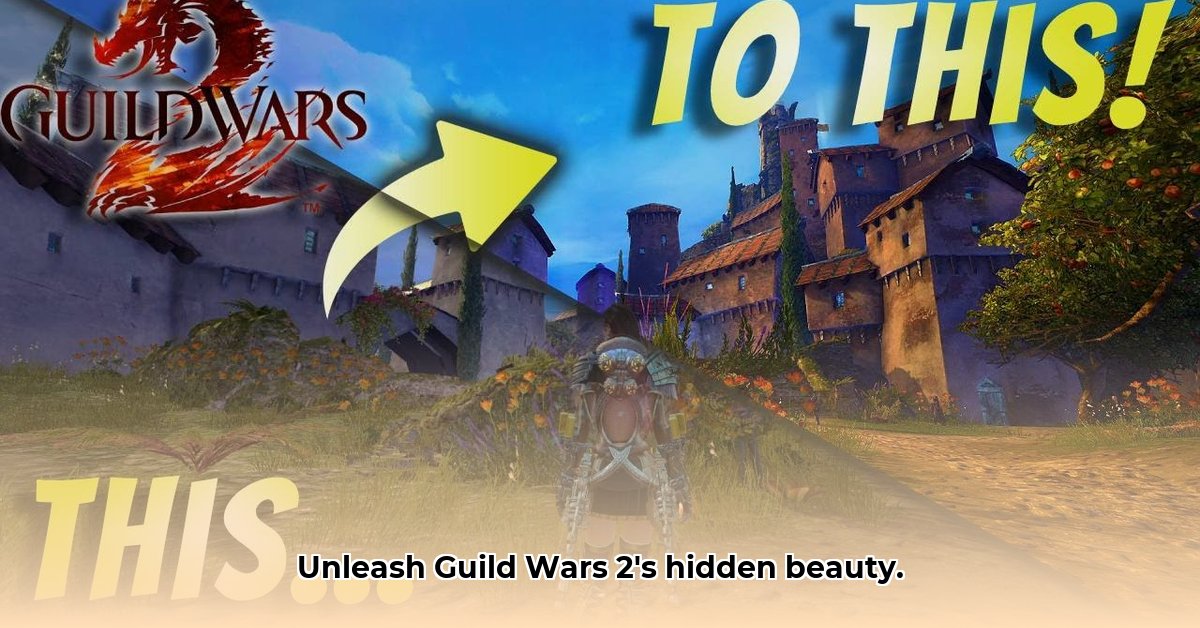
Want to elevate your Guild Wars 2 experience beyond its default visuals? ReShade, a post-processing injector, offers a powerful way to enhance your game's graphics. This guide provides a step-by-step walkthrough of downloading, installing, and customizing ReShade for Guild Wars 2, catering to both novice and experienced users.
Downloading and Installing ReShade for Guild Wars 2
First, download the latest ReShade installer from the official website (https://reshade.me/). Why the official site? It ensures you get the genuine, virus-free version. Running the installer is straightforward. You'll be prompted to select the Guild Wars 2 executable (.exe) file, usually located in your game's installation directory. Choosing the correct DirectX version (DirectX 11 for GW2) is crucial for avoiding compatibility issues. A common error is selecting the wrong version; double-check this step.
Next, the installer will guide you through selecting the appropriate graphics APIs (DirectX 9, 11, or 12 depending on your GW2 version), a key step in preventing conflicts. After installation, launch Guild Wars 2. You should see a ReShade setup screen. You can select shaders (visual effects) or skip this for now; we can add them later.
Understanding ReShade and its Shaders
ReShade acts like a powerful filter, adding visual enhancements on top of the game's existing graphics. The core components are "shaders"—small programs that modify aspects like lighting, colors, and depth of field. Each shader provides a specific visual effect. Think of it as adding various artistic filters to a photograph. The more shaders you use, the more dramatic the transformation will be, although this may impact performance. Did you know that some shaders can even simulate realistic weather conditions?
Working with Presets
Starting with pre-made presets is usually easier. These are collections of shaders bundled together, ready to use. You can find numerous GW2 ReShade presets online with a quick search; however, ensure you download from reputable sources to avoid malware. After downloading and unzipping the preset, place it in the ReShade folder within your Guild Wars 2 directory. Restart GW2 to apply the preset. Many presets are tailored to specific aesthetics, from subtle realism enhancements to vibrant, stylized looks.
Customizing ReShade: Advanced Options
For advanced users, direct shader customization offers finer control. This involves editing text files using a simple text editor like Notepad. While this may appear complex, countless online tutorials and communities detail this process, assisting with every step. Don't be afraid to experiment. The key is to start small, adjusting settings incrementally to gauge their impact.
Optimizing ReShade for Performance
ReShade can impact your game's frame rate (FPS), especially with many complex shaders. To mitigate this:
- Enable ReShade's Performance Mode: This mode optimizes performance by reducing processing demands.
- Reduce Shader Quality: Lowering the quality of individual shaders will reduce the processing requirements.
- Use Fewer Shaders: Employing only essential shaders will keep your system less burdened.
Troubleshooting Common Issues
- Anti-cheat Conflicts: ReShade might trigger anti-cheat systems. If conflicts arise, try disabling specific shaders or ReShade features while playing online.
- Performance Issues: High shader usage or low hardware specifications can lead to performance drops. Adjust shader settings or consider hardware upgrades.
- Graphical Glitches: Incorrect settings or incompatible shaders might cause visual artifacts. Check your settings, try default presets, or reinstall ReShade.
Additional Resources and Support
The ReShade community is vast and helpful. Numerous online forums (https://reshade.me/forum/), tutorials, and dedicated communities serve as valuable resources for troubleshooting and learning more advanced techniques.
Conclusion
ReShade empowers you to personalize your Guild Wars 2 experience significantly. Remember to balance visual enhancements with performance considerations. Adherence to the game's terms of service is also crucial. Enjoy your visually upgraded Tyria!
⭐⭐⭐⭐☆ (4.8)
Download via Link 1
Download via Link 2
Last updated: Tuesday, April 29, 2025